Step 1
Create a Pokémon save
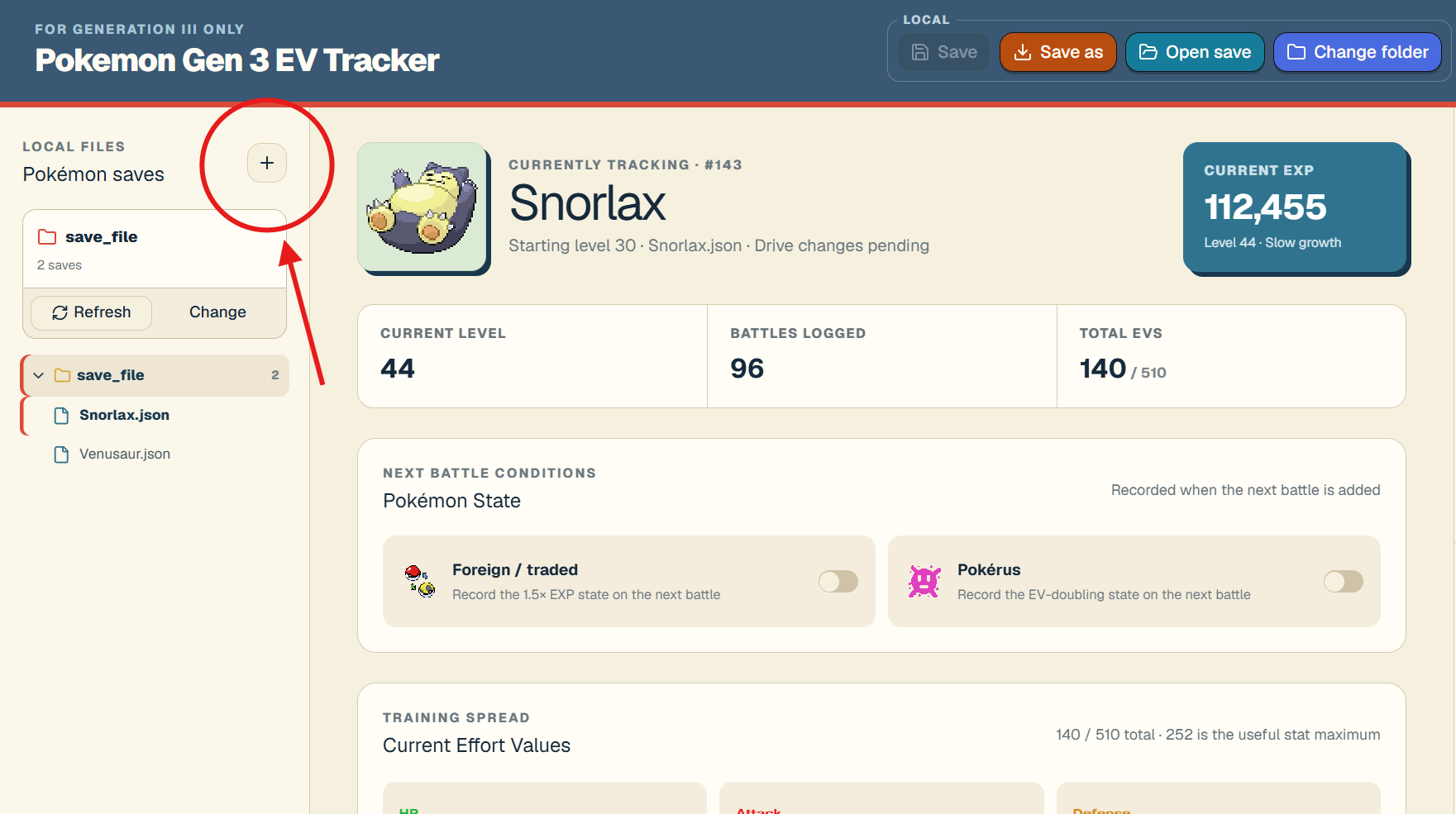
Select the plus button beside “Pokémon saves.” This opens the setup window for a new tracked Pokémon in your current save folder.
Pokémon Gen 3 EV Tracker
Five-step tutorial
Create a save with your Pokémon's current information, add each battle as you play, and let the tracker calculate your Generation III EV and EXP progress.
Step 1
Select the plus button beside “Pokémon saves.” This opens the setup window for a new tracked Pokémon in your current save folder.
Step 2
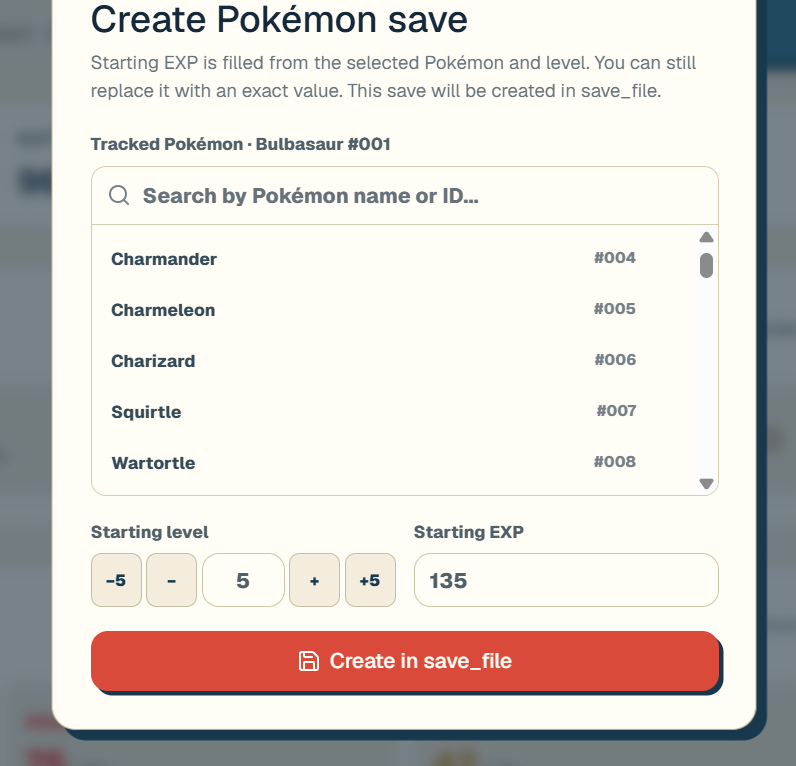
Search for your Pokémon, then enter its current level and EXP. Starting EXP is filled automatically from the selected Pokémon and level, but you can replace it with the exact value shown in your game.
Step 3
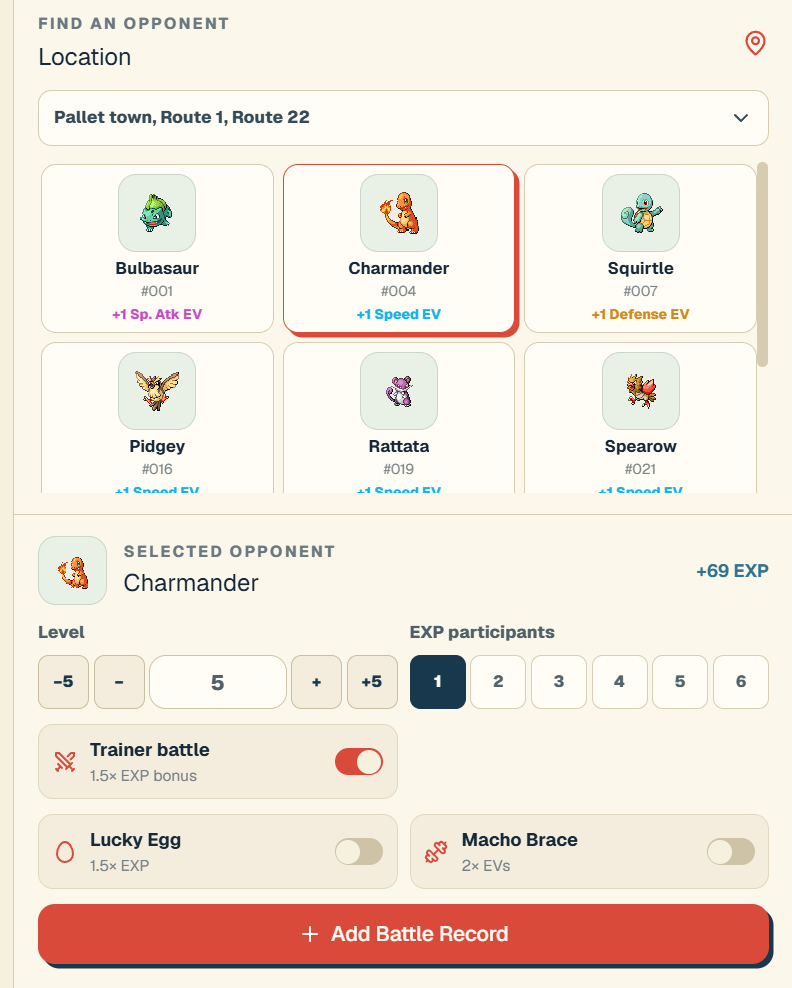
Choose the battle location and defeated opponent. Set the opponent’s level, EXP participants, trainer-battle status, held item, and other conditions, then select “Add Battle Record.”
Step 4
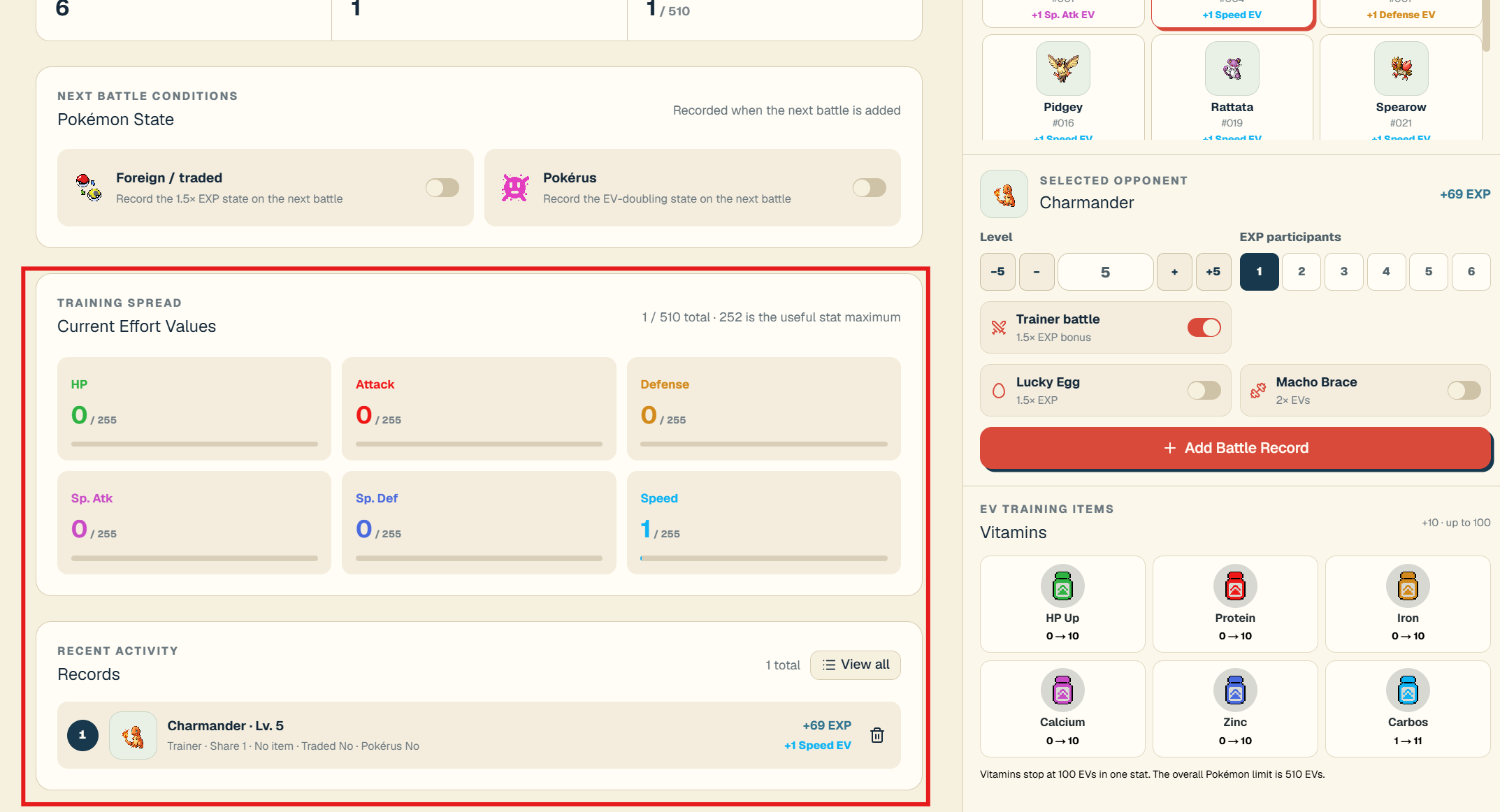
After a battle is added, the Training Spread updates with the EVs earned. Recent Activity also shows the opponent, EXP gained, and EV gain, so you can confirm that the record is correct.
Step 5
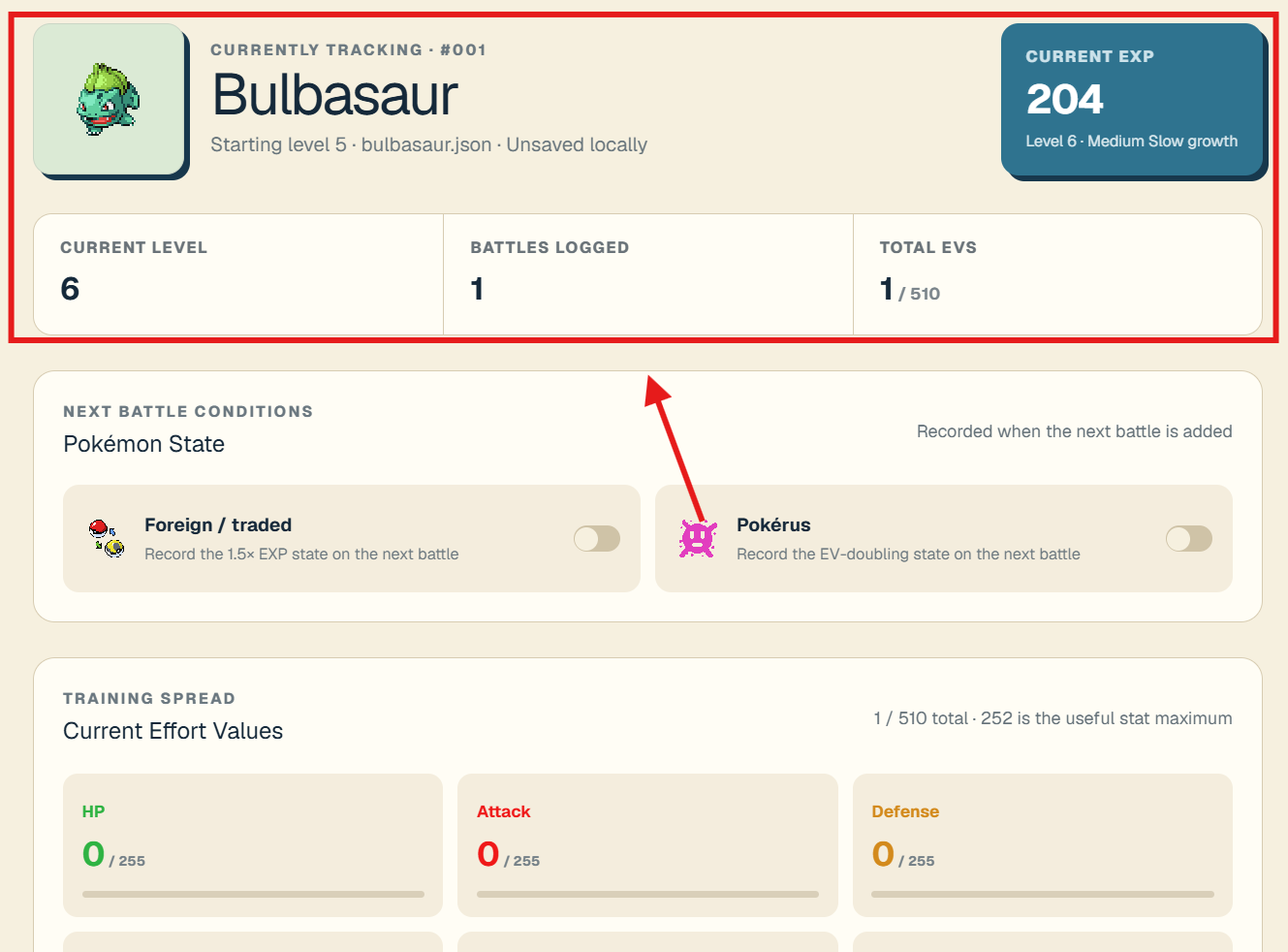
The summary at the top shows current EXP, level, battles logged, and total EVs. Keep adding battles to follow your Pokémon’s progress toward its next level and training goal.